Product/components used and version:
- Azure DevOps runners
- Hosted latest Ubuntu
- Self-hosted on Azure VM Ubuntu 2204
- go-c8y-cli version: 2.44.2
- PowerShell version: 7.4.6
Detailed explanation of the problem:
Running a simple pipeline to get a list of c8y extensions.
The pipeline completes below command to create session and activate session fine:
c8y sessions create --host 'https://${{ parameters.c8yTenantHostName }}' --username '$(c8y_devops_username)' --password '$(c8y_devops_password)' --type devc8y sessions set --shell powershell | Out-String | Invoke-Expression
But it hangs forever on below command to list c8y extensions:
c8y ui plugins list --name "${{ parameters.extensionName }}" --debug
Investigation:
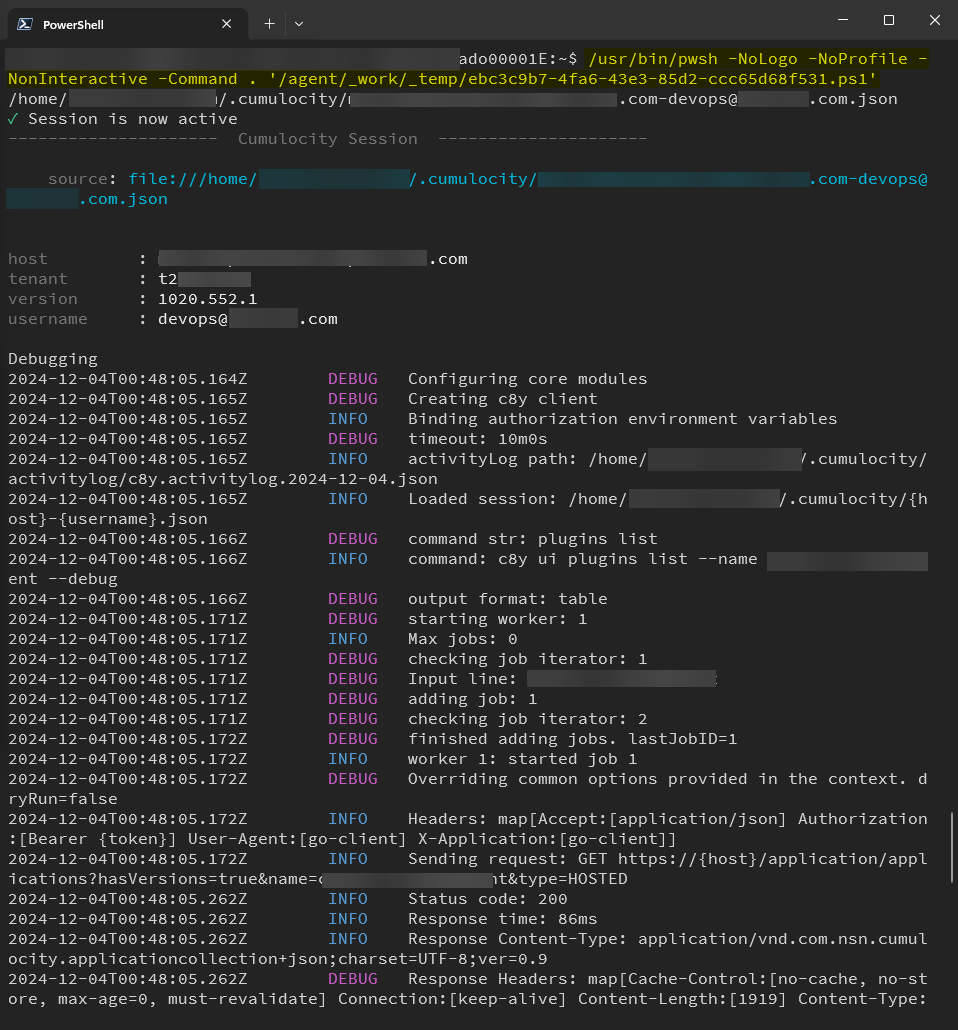
When I connect to the VM via SSH and ran the exactly the same command as pipeline ran, it completes fine and activity log has all the GET and PUT request entries as well.
Just wondering if anyone has experienced this before or any idea?
Error messages / full error message screenshot / log file:
-
Hanging in pipeline
-
Activity log (
/home/AzDevOps/.cumulocity/activitylog/c8y.activitylog.2024-12-04.json){"time":"2024-12-04T00:34:03.129524038Z","ctx":"vFoLjGXV","type":"command","arguments":["sessions","set","--shell","powershell"]} {"time":"2024-12-04T00:34:05.049707224Z","ctx":"SlWTDGap","type":"command","arguments":["ui","plugins","list","--name","xxx","--debug"]} -
When I connect to the VM via SSH and ran the exactly the same command, it completes fine

Question related to a free trial, or to a production (customer) instance?
Production